Blue Team Labs Online - Hexclave

Reverse Engineering
Tags: IDA Freeware x32dbg x64dbg Yara T1027.002 T1497.001 T1547.001 T1204.002
Scenario DarkSpecter, an elusive cyber master, has unleashed a devastating malware attack on to destroy the Cosmic Shield and infiltrate. The attack crippled their network. As a top analyst from Hexclave, your mission is to dissect the malware, uncover DarkSpecter's techniques, and help to remove him from the network. Navigate through layers of obfuscation, trace the malicious code, and ensure the integrity and security of Cosmic Shield digital environment. Your expertise is their last line of defense.
Investigation Submission
Q1) What is the SHA256 Hash of the given Malware File? (Format: SHA256)
Lets take a look at what we have after deployed investigation machine.
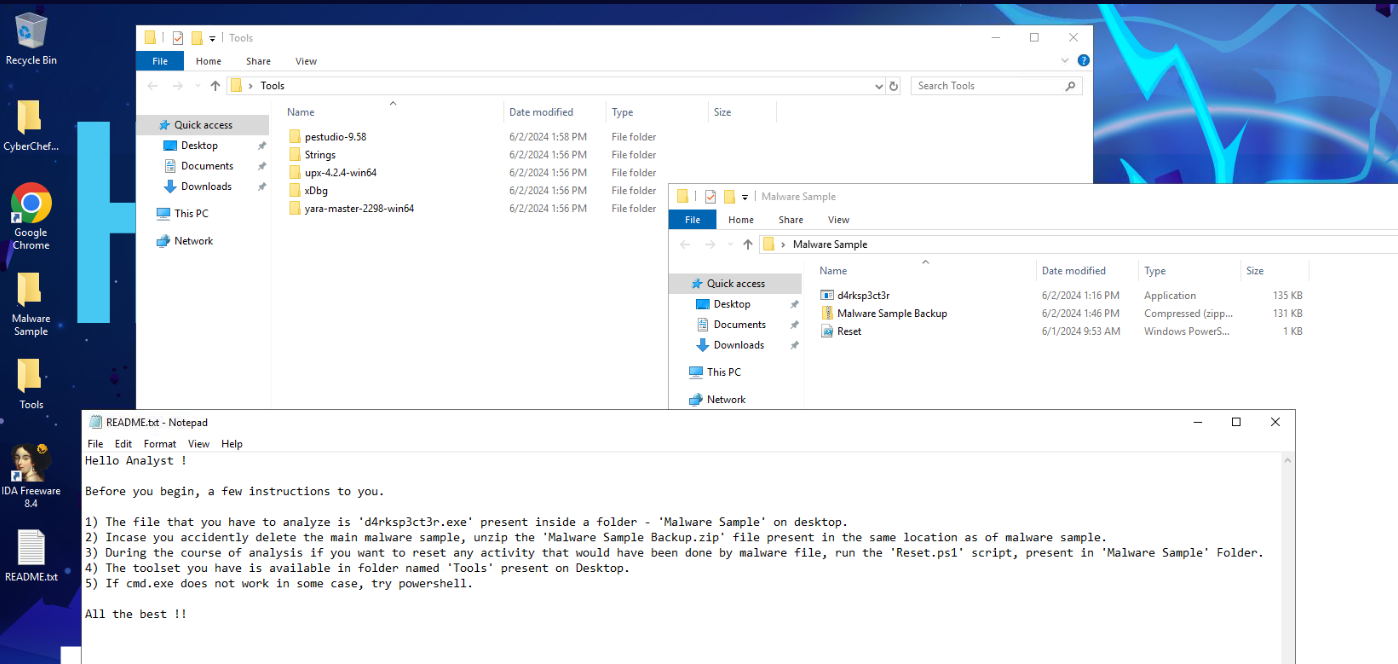
There is a readme file that telling us about malware and how to restore it if we accidently messed everything up and after taking a look at tools provided then we know that we will have to do some reverse engineering and debugging and the malware sample is packed with UPX.
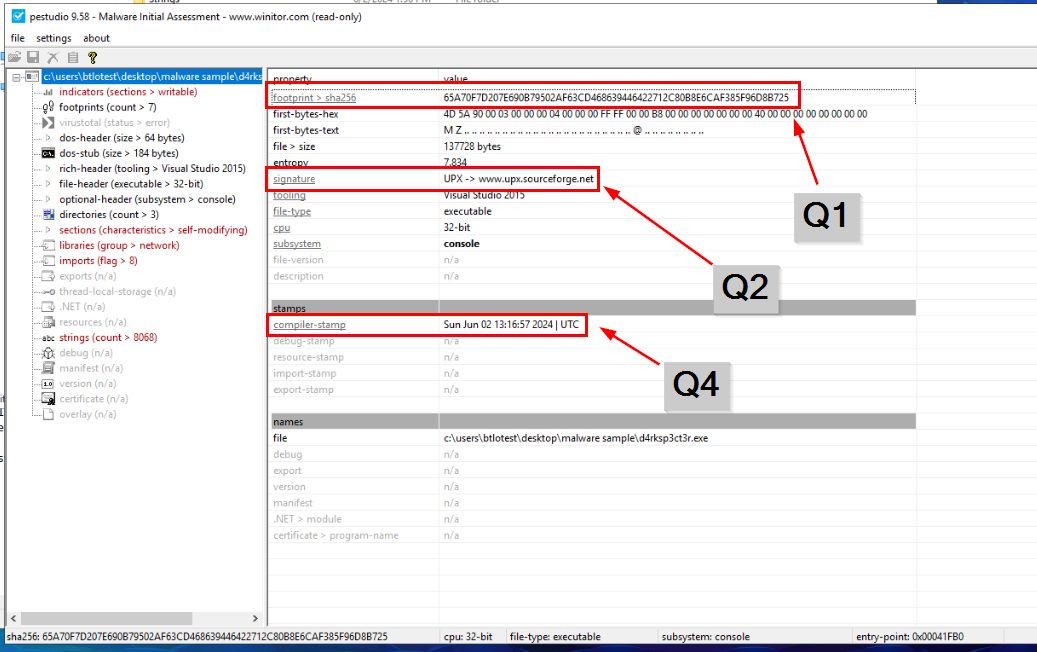
We can use Get-FileHash cmdlet or certutil (which effectively relies on the underlying functionality that is provided by the Get-FileHash cmdlet) to calculate hash but to get an answer of Q2 and Q4, we can use PEStudio to analyze packed malware sample for us.
Answer
65A70F7D207E690B79502AF63CD468639446422712C80B8E6CAF385F96D8B725Q2) What is the name of the packer used? (Format: Packer)
Answer
UPXQ3) What is the SHA256 Hash of the newly extracted file? (Format: SHA256)
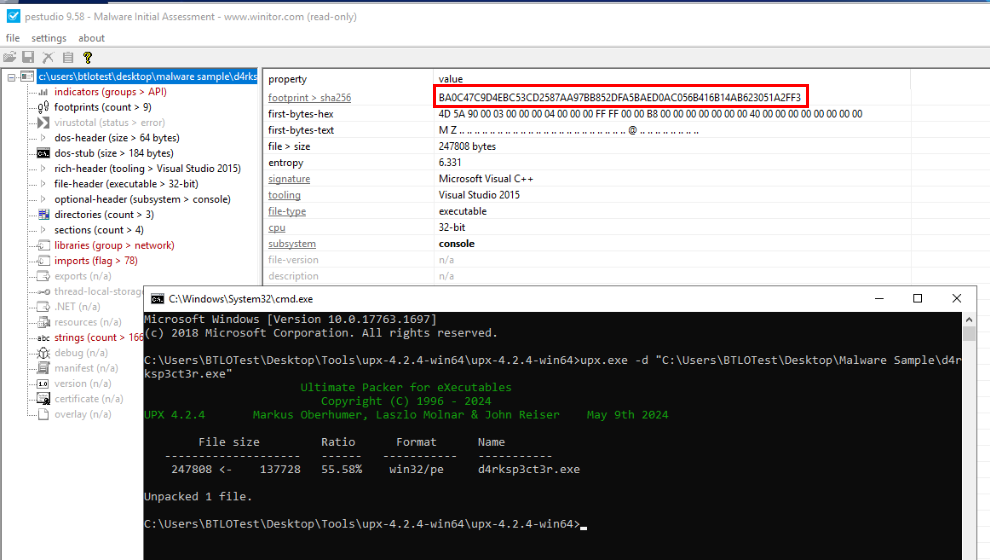
We can use upx with -d to unpack any file packed with UPX then we will have a newly extracted file in the same location (effectively replaced with unpacked version) then we can use PEStudio to calculate SHA256 hash of this unpacked file.
Answer
BA0C47C9D4EBC53CD2587AA97BB852DFA5BAED0AC056B416B14AB623051A2FF3Q4) When was the Malware File compiled? (In UTC) (Format: DDMMYYYY HH:MM:SS)
Answer
02012024 13:16:57
Q5) The Sample is trying to connect to a website to check for internet connectivity. Provide the website URL (Format: https://domain.tld)
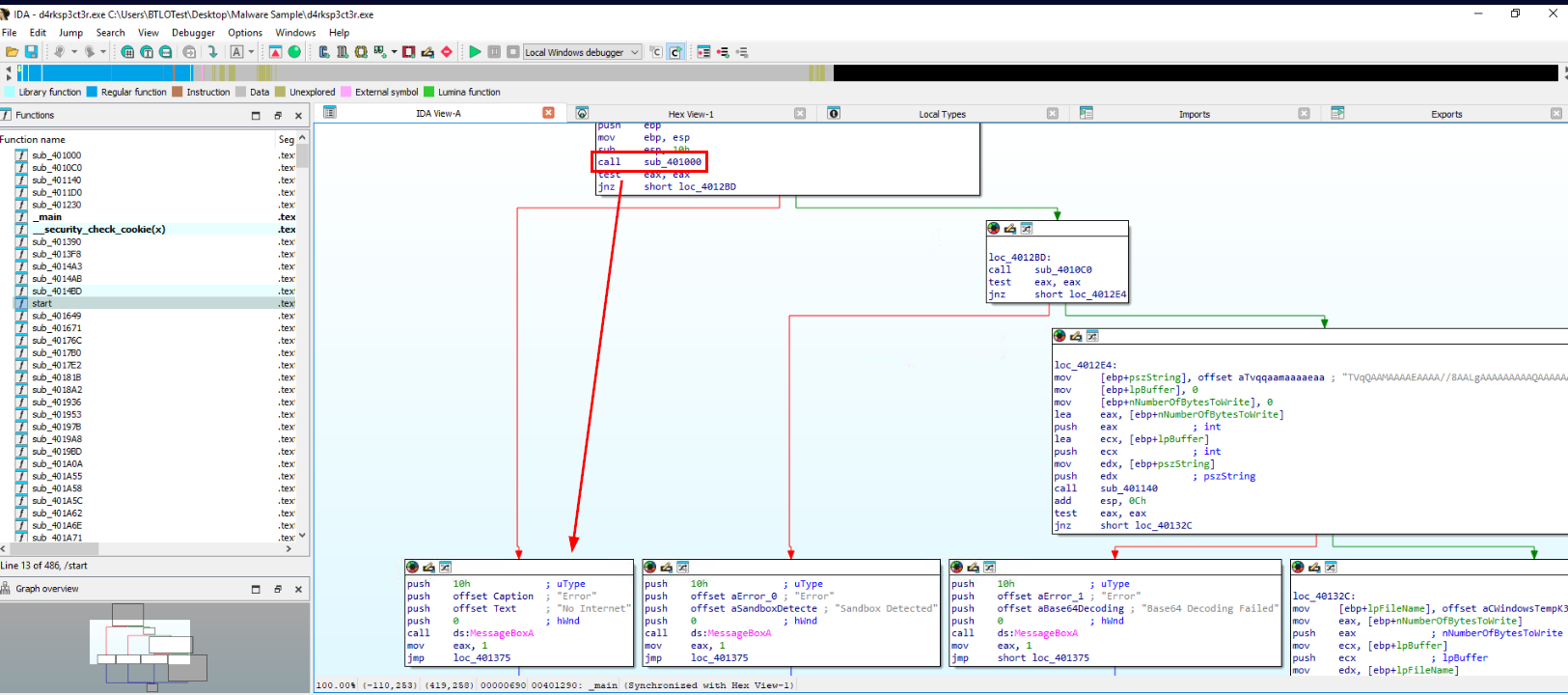
Lets disassemble file with IDA free then we could see that first condition that will be checked in main function is internet connection by sub_401000 function so we just have to dig into this function to find out which URL is used to check the connection of this malware.
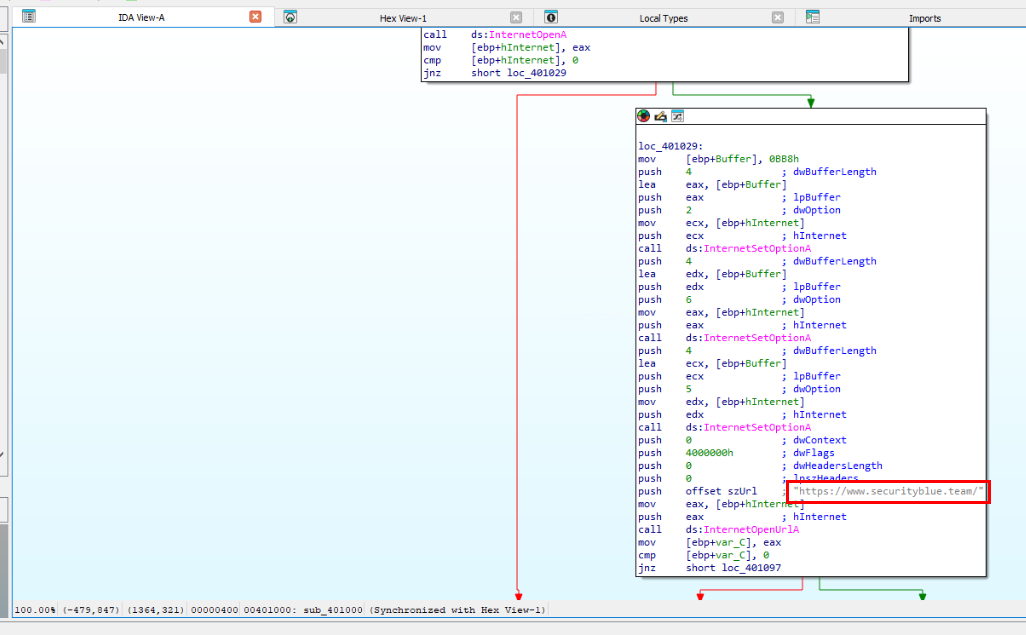
Then we can see that its use SBT official website as testing site so this malware is written by SBT and likely not published anyway so we could not cheese it out by searching filehash on the public sandbox.
Answer
https://www.securityblue.team/Q6) What is the comparison size of RAM and CPU count used as Anti Technique? (Format: RAM Size in GB, CPU Count)
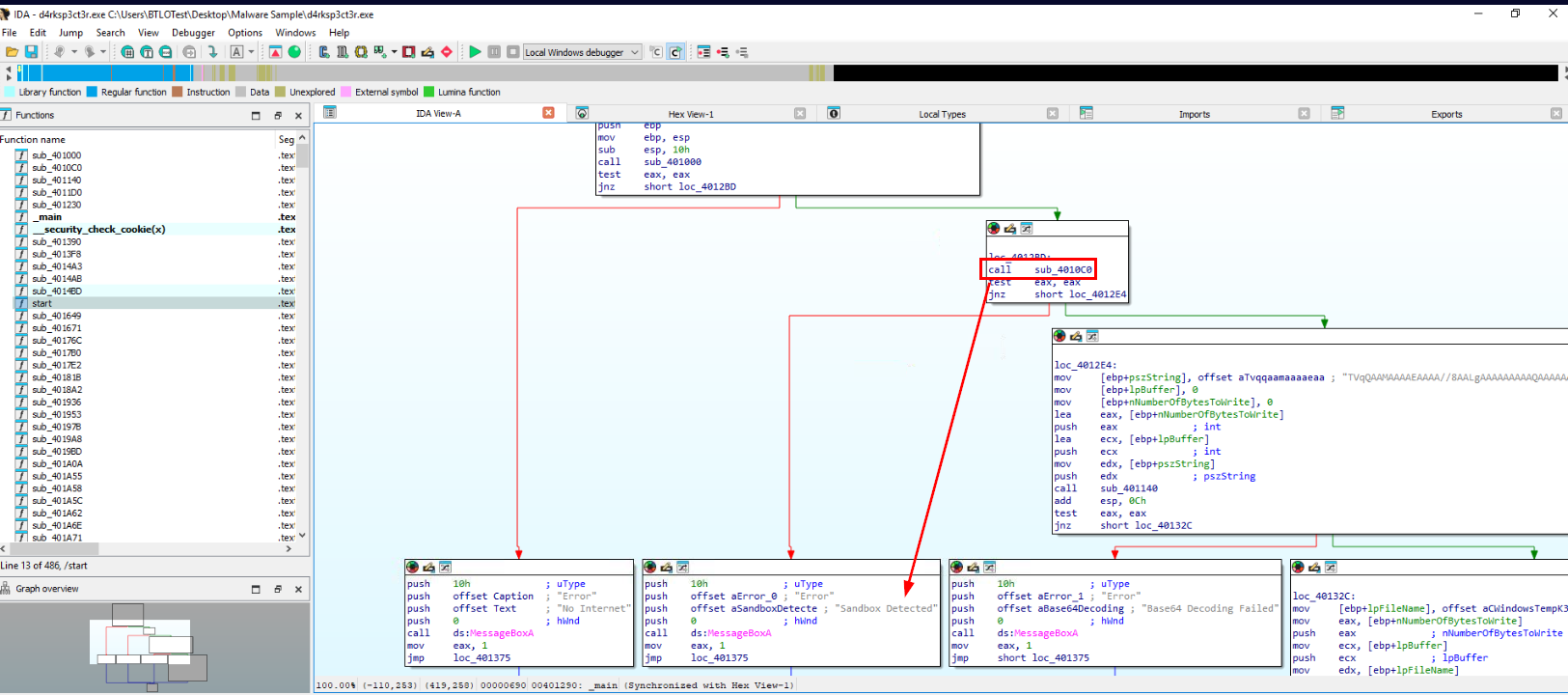
Now go back to main function to find out next checking and that is Sandbox detection so this malware is using "Anti-Sandbox" technique here (Q7) and the function responsible for this checking is sub_4010c0
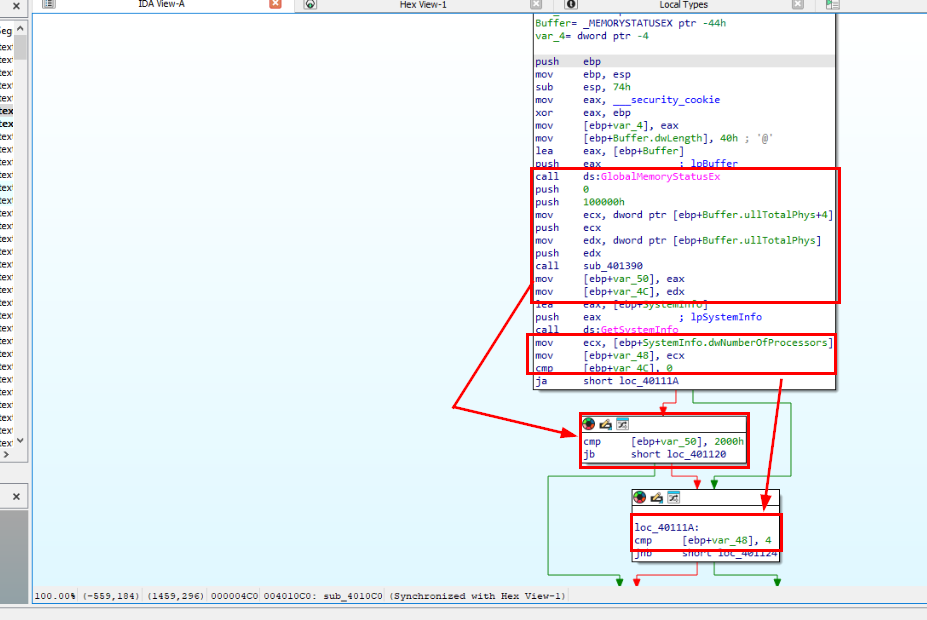
This function is using GlobalMemoryStatusEx to get RAM size then compare it with (jb = jump below) 0x2000 which is 8192 in decimal which translate to 8GB size so if its detect any system have less than 8GB RAM then it will mark as Sandbox.
Next, it uses GetSystemInfo to get number of processors compare to number 4 (jnb = jump not below) which mean if CPU count is less than 4 then it will also be marked as Sandbox.
Answer
8, 4Q7) What anti-analysis technique is used by the binary? (Format: Anti Analysis Name)
Answer
anti-vmQ8) Provide the file path, which is getting dropped from the malware (Format: File Path)
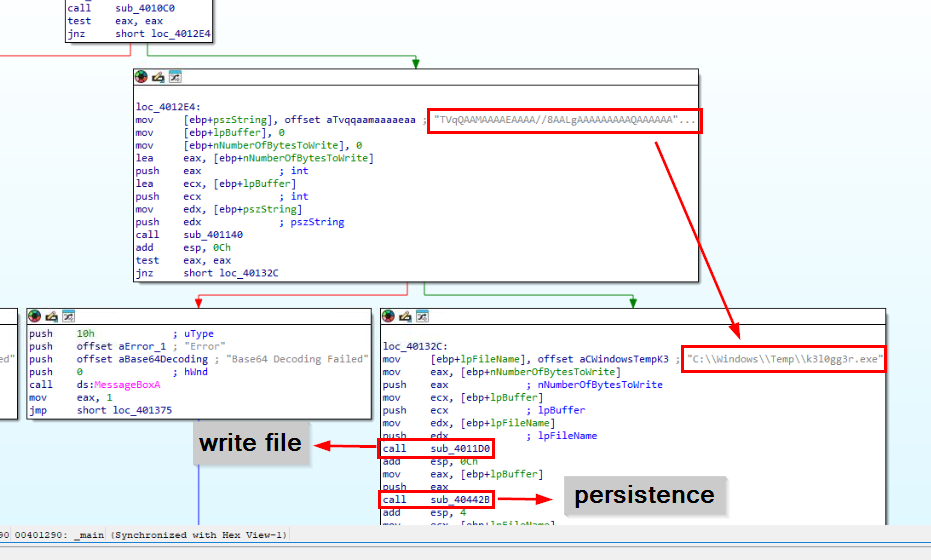 Next it checks if the system running this malware capable of decoding base64 which is another malware that will be dropped by this malware which seem like to be a keylogger (Q11) and it will also set registry key with function
 sub_40442B to stay persistence (Q9)
Answer
C:\Windows\Temp\k3l0gg3r.exeQ9) Provide the Key and Subkey used for persistence by Malware sample (Format: Key, Subkey)
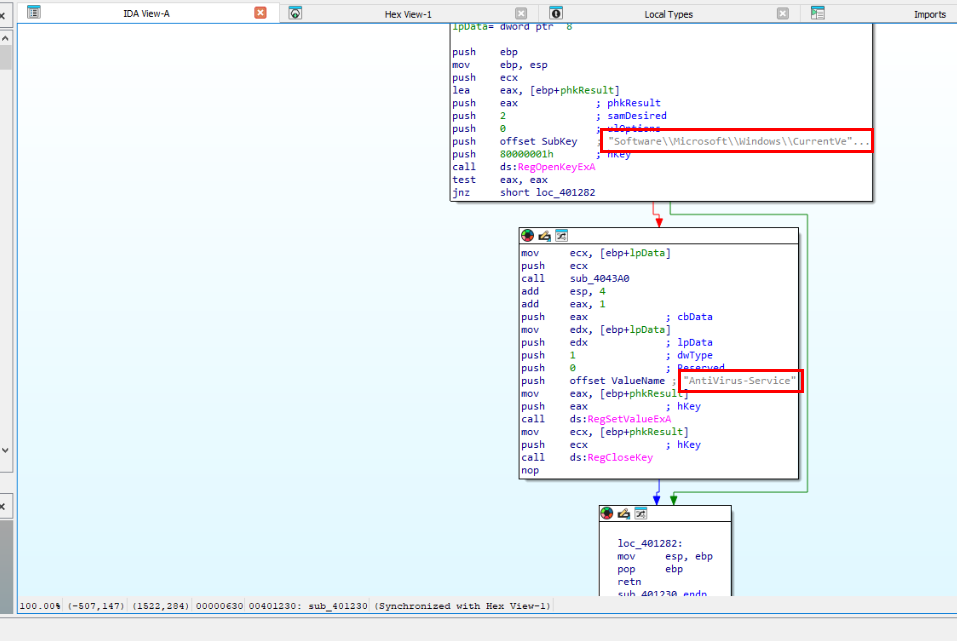
Lets take a look at function sub_40442B then we could see that it will create a key in Run registry key which will execute every time user login into infected system.
Answer
AntiVirus-Service, Software\Microsoft\Windows\CurrentVersion\RunQ10) What is the SHA256 Hash of the dropped file? (Format: SHA256)
There are 2 approaches to solve this Question - First approach is to copy base64 and decode it then save as PE file but if we do this then it will be dead-end for Q12 that required execution of this malware hence I do not recommend doing this. - Second approach is execute this malware but we have to patch it to bypass anti-analysis technique.
In the end, we only have second approach since first approach will eventually lead us back to second approach at the end.
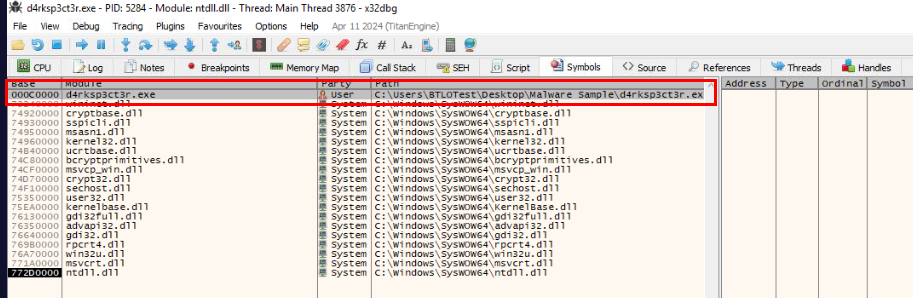
Lets open unpacked malware in x32bdg then go to "Symbols" which we can see that we can click this module which is direct access to instructions that we are interesting without go through DLL load and go thought entry point.
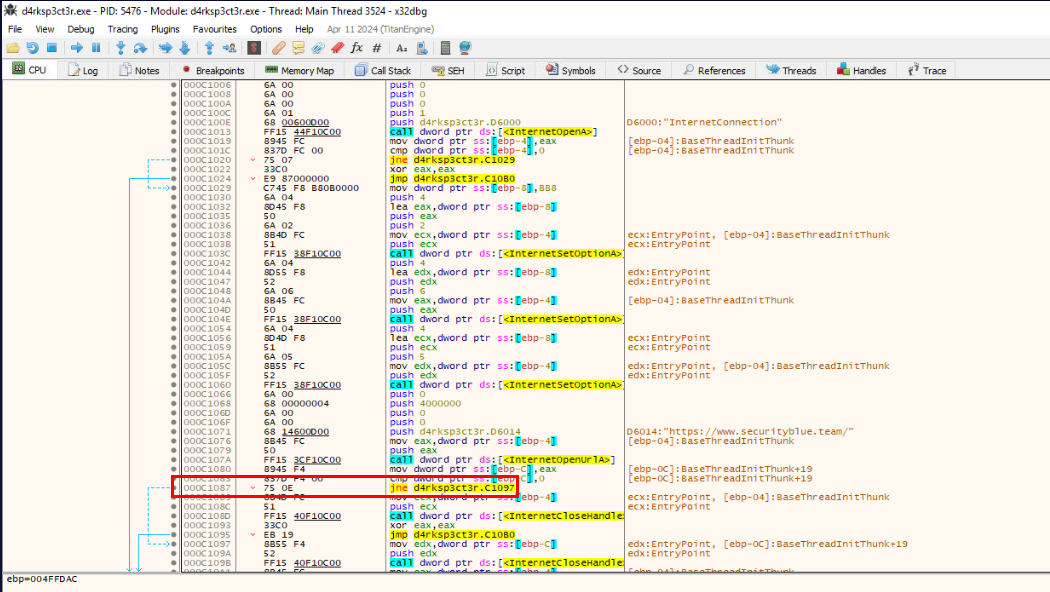
Then find first instruction that responsible for jumping and show "No Internet" message box which is right here.
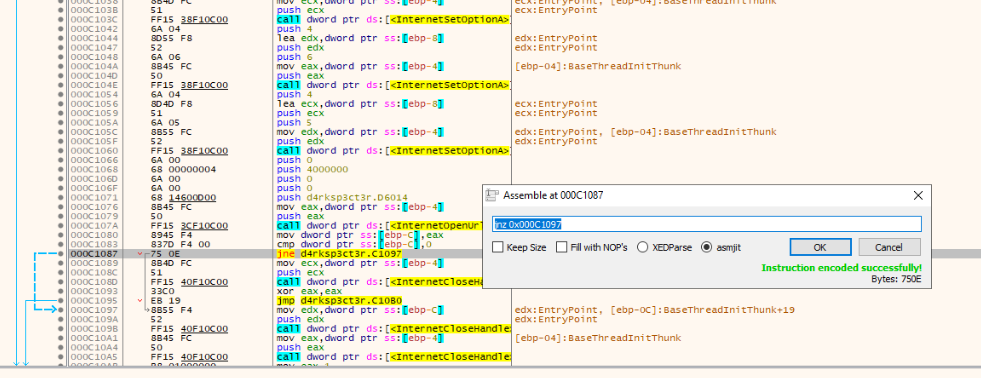
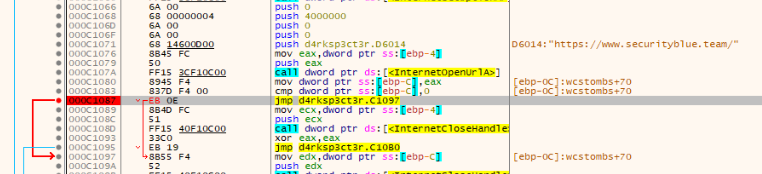
Right click and click "Assemble" to patch jnz (Jump if not Zero) to jmp (Jump) so we can jump straight to second checks and do not forget to put a breakpoint just in case
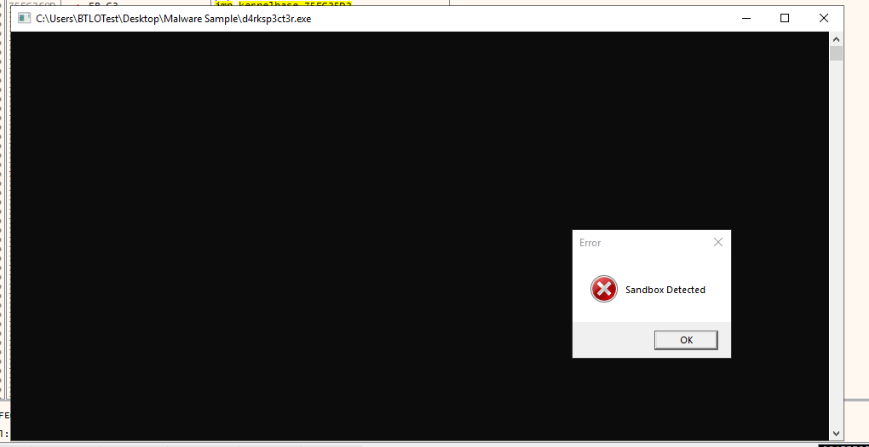
After saved patch file and executed then we could see that there is no "No Internet" message box pop up so we passed first check now lets patch RAM and CPU check.
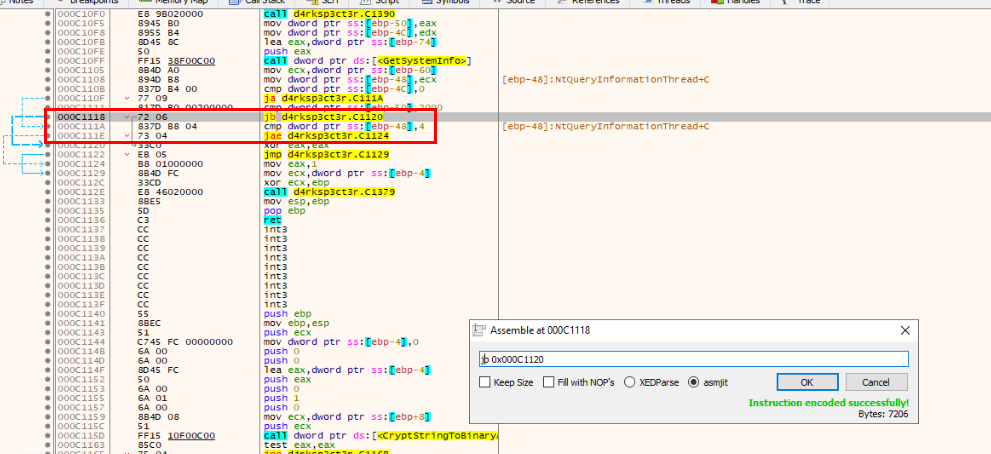
There are 2 instructions, I would patch and as we already know that there are jb and jnb to check RAM and CPU so lets swap them to jnb and jb then we should be good by then.
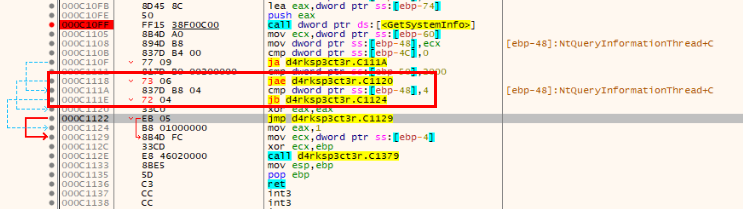
Now after patched this, we could save patched file to another file before letting malware proceed what it was supposed to do.
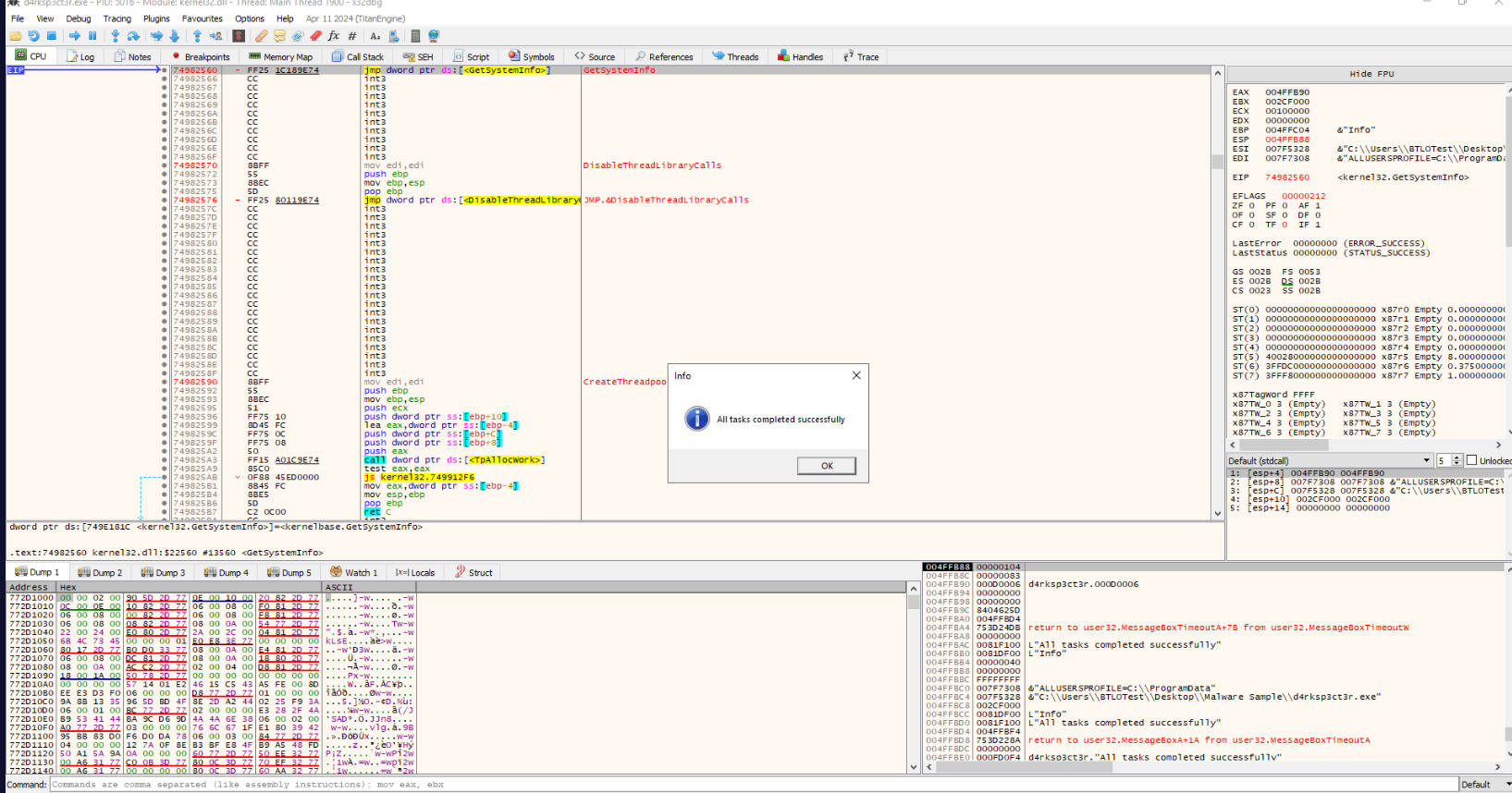
Nice we got this message box which mean keylogger was dropped and everything worked according to plan.
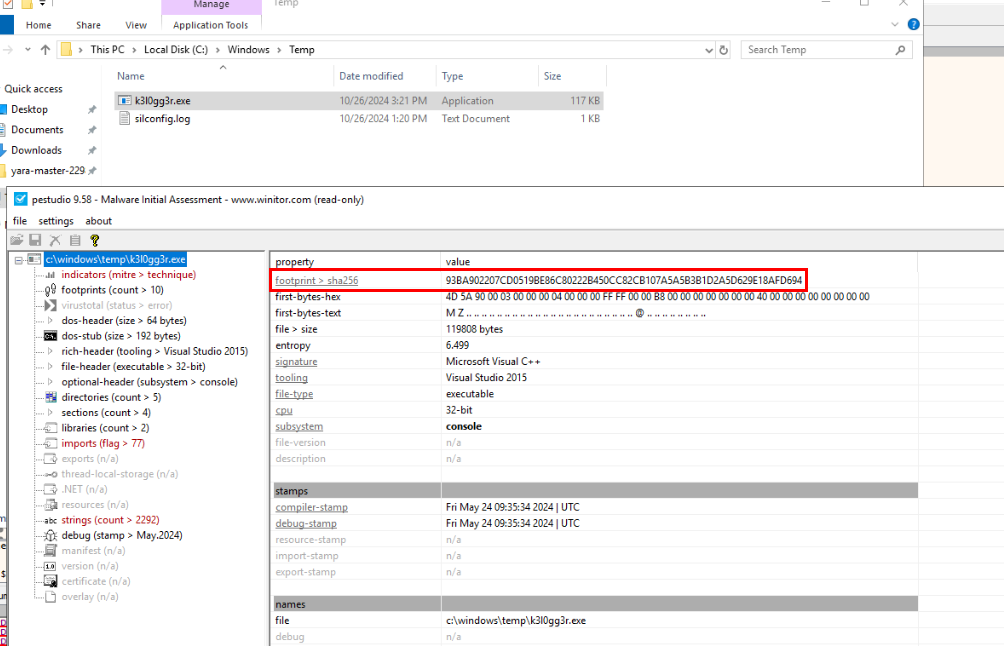
Go to C:\Windows\Temp\ to get a keylogger to put into PEStudio.
Answer
93BA902207CD0519BE86C80222B450CC82CB107A5A5B3B1D2A5D629E18AFD694Q11) Which type of malware is the newly dropped file? (Single word, Lowercase) (Format: Malware Type)
Answer
keyloggerQ12) The attacker was clever and had hidden the original unpacked file in several locations within the Users folder. Using YARA, find out the total number of locations where the file is present (Format: Count)
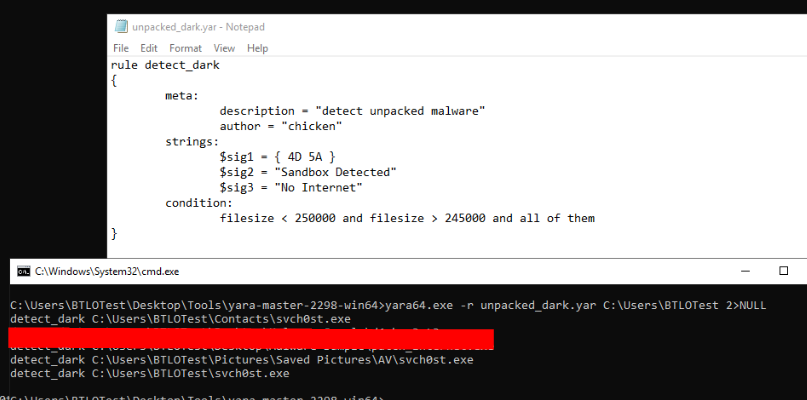 Lets craft our crappy YARA rule that will detect all unpacked malware and the way I did mine is to included some strings found in unpacked malware along with file size then we will see there are 3 weird files inside Users folder that matches this rule and there are unpacked malware that spread during malware execution.
Answer
3 https://blueteamlabs.online/achievement/share/52929/224